How Enterprise Browser Isolation Works
Pixel streaming, DOM mirroring and local isolation explained: what each one actually protects, what it gives up, and where it earns its place.
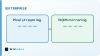
Browser isolation is one of those security ideas that sounds like marketing until you see the mechanism, at which point it becomes obviously sensible. The premise is simple: the browser is where most attacks land, so stop running untrusted web content on the machine you are trying to protect. Everything interesting is in how that separation is actually achieved, because the approaches differ enormously in what they give up.
The threat it is actually addressing
Almost every endpoint compromise starts with content the user asked for. Someone opens a link, and a page runs code in a browser that has an enormous attack surface by design — a JavaScript engine, a rendering engine, font parsing, image decoding, PDF handling, extensions.
Traditional defences try to decide, in advance, whether a given page is safe. Reputation lists, category filters, signature scanning, sandbox detonation. All useful, all fundamentally guessing, because they must classify something they have not fully executed.
Isolation sidesteps the classification problem. Rather than deciding whether a page is dangerous, it assumes every page might be and arranges for the dangerous part to happen somewhere disposable. The code still runs — you cannot browse the web without running code — but it runs in a container in someone else's infrastructure, and that container is destroyed when the session ends.
Three ways to do it, with real trade-offs
The mechanism above leaves one enormous question open: what exactly travels back to the user? That single decision separates the approaches and determines everything about how the system feels.
Pixel streaming. The remote browser renders the page and sends video. The endpoint receives images and returns clicks and keystrokes. This is the strongest separation available, because no web content of any kind reaches the device — no HTML, no JavaScript, nothing to parse. The costs are equally clear: bandwidth is continuous, text rendering can look slightly soft because it has been through video compression, and anything latency-sensitive feels remote. Copy and paste, printing and file downloads all need explicit handling because there is no document on the endpoint to act on.
DOM mirroring. The remote browser executes the page and then sends a reconstructed, sanitised version of the resulting page structure to the local browser, which renders it natively. Text stays crisp, bandwidth is far lower, and the page feels local because it is being drawn locally. The trade-off is that something is now parsing rebuilt markup on the endpoint — a much smaller surface than the original page, but not zero. It also breaks on sites that depend on unusual browser APIs, because the reconstruction has to understand what it is rebuilding.
Local isolation. The browser runs on the endpoint but inside a hardware-enforced container, using virtualisation features in the processor. Fidelity is perfect and latency is native, because it really is the local machine. The separation is weaker than remote approaches — the container is on the same physical hardware — and it depends on both the endpoint's capabilities and its configuration being correct.

The parts people underestimate
Clipboard and file movement is the real policy work. Isolation is easy until someone needs to download a document or paste a value into an internal system. Every deployment ends up defining what may cross the boundary in each direction, for which users, and what happens to files on the way through — typically inspection, sometimes conversion to a flattened format. These rules matter more day to day than the isolation technology itself, because they are what users actually bump into.
Authentication gets complicated. The remote browser is the thing holding the session, which means single sign-on has to work from there, and conditional access policies that key on device posture now see a container rather than a laptop. This is solvable and it is rarely thought about before it appears.
Not everything should be isolated. Isolating your own internal applications adds latency and breaks integrations for no security gain, since you already trust them. Almost every sensible deployment isolates by category — unknown and uncategorised sites, webmail, anything a risky user group touches — and lets trusted destinations connect directly.
It composes rather than replaces. Isolation removes a category of endpoint compromise. It does nothing about a user typing credentials into a convincing phishing page, because the page renders perfectly and the user still types. That threat needs different controls, and the two are complementary rather than alternatives.

How to evaluate it honestly
The demo will look fine. Demos use well-behaved sites on a good connection, and every approach handles those. The evaluation that tells you something is deliberately awkward.
Take the most complex web application your users genuinely depend on — usually something with heavy JavaScript, embedded media, or an unusual authentication flow — and run it through each approach from the network conditions your users actually have, including the ones working remotely. Then do a full document round trip: download a file, edit it, upload it back. Then have someone copy a value out of an isolated page into an internal system.
Whatever is awkward in that sequence is what your helpdesk will hear about. It is also the thing that determines whether users find a way around the control, which is the failure mode that matters most — an isolation product people route around protects nothing.
If you are building or integrating security tooling of this kind, the same principle applies as anywhere else: the interesting engineering is at the boundary — the policy layer deciding what crosses it and how — rather than in the rendering. That boundary logic is almost always where a custom component earns its place, which is the pattern we see across our AI and web work too.
Frequently asked questions
What problem does browser isolation actually solve?
It removes the endpoint as the place where untrusted web code executes. Rather than trying to classify a page as safe, it assumes any page might not be and runs it somewhere disposable.
What is the difference between pixel streaming and DOM mirroring?
Pixel streaming sends images of the rendered page, so no web content reaches the device at all. DOM mirroring sends a sanitised reconstruction that the local browser renders natively — lighter and crisper, but something is still parsed locally.
Does isolation stop phishing?
No. An isolated page renders perfectly, so a user can still type credentials into a convincing fake. Isolation addresses code execution on the endpoint and needs to be paired with controls that address credential theft.
Should everything be isolated?
No. Isolating trusted internal applications adds latency and breaks integrations without adding protection. Most deployments isolate unknown and uncategorised destinations and let trusted ones connect directly.
What is the most overlooked part of a deployment?
Clipboard and file movement policy. Deciding what may cross the boundary, for whom, and what happens to files in transit is what users encounter daily.
How should we test a vendor properly?
Run your most complex real web application through it, from the network conditions your users actually have, and complete a full file round trip and a copy-paste into an internal system.