When To Add Pipeline Stages To CRM (3 Clear Signals)
Add pipeline stages when deals take different paths to close. Three signals tell you it's time: visibility gaps, handoffs, and missing data.

Most teams add pipeline stages when they're already drowning in chaos. Deals stall in the wrong buckets. Nobody can tell which opportunities actually need attention.
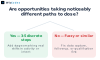
The correct trigger is simpler: you need more stages when opportunities take noticeably different paths to close. A single linear track can no longer represent both journeys accurately.
What actually decides when you need more stages
Three signals tell you it's time: visibility, handoffs, and data.
Can't tell where a deal is stuck? You need more stages. A pipeline with only "Lead" and "Closed" hides too much. You don't know if a prospect is waiting on pricing, stuck in legal review, or ghosting you. More stages surface that.
Multiple people touch a deal before it closes? You need stages that match those handoffs. When sales qualifies a lead and passes it to solutions engineering, that boundary should be a stage. Otherwise the hand-off fails quietly and deals disappear.
Guessing at conversion rates or forecasting by feel? You need stages that create measurement points. Each stage becomes a place to count how many deals enter, how many convert, and how long they wait. Data replaces intuition.
The Custom CRM Platform we built tracked deal progression through seven stages. The client's sales cycle involved three internal reviews and two external approvals. Fewer stages would have hidden the bottleneck. More would have been noise.
Start adding stages when when a custom CRM makes sense becomes your question. When the generic pipeline no longer mirrors how you actually close business.
The questions to settle before adding stages
Before you change the structure, answer three questions. They decide whether new stages will help or just add ceremony.
Can you name what happens at each stage? If the answer is "some admin stuff" or "we follow up until they buy," the stages won't clarify anything. A stage should mark a real shift in what you do or what the buyer needs from you.
Does your team agree on what each stage means? We built a custom CRM where three people used "Qualified" to mean three different things. Adding stages without shared definitions just moves the confusion to a different column.
Are deals progressing through distinct steps, or just sitting longer? Velocity problems look like stage problems, but they're different issues. When opportunities stall in one place, custom fields solve the problem faster than new stages. Track the blocker, not the symptom.
If any of those three questions gets a weak answer, structure is not the constraint. Better data or clearer handoffs will move deals faster than renaming columns.
How to map stages to your actual sales motion
Start with what actually happens when a deal moves forward. List every action your team takes from first contact to signed contract. Not what the CRM suggests. What your people do.
Then group those actions into phases where the deal changes state in a way that matters to how you manage it. Each phase becomes a stage.
Most teams get this wrong by mirroring someone else's funnel. A generic Awareness -> Interest -> Decision ladder does not map to your actual handoffs. Your stages need to reflect when the deal changes ownership, when different data is required, or when you measure different outcomes.
The Custom CRM Platform we built maps stages to contract review, technical validation, and budget approval. Those three gates were where deals actually stalled for that client. Not because those are standard. Because those were the real choke points in their sales motion.
A stage that doesn't correspond to a decision your team makes or an action they take is decorative. Cut it.
What to check before you commit the change
Run each deal type through the proposed stages on paper first. Pick two real opportunities from last quarter. One fast inbound deal and one longer enterprise contract. Walk them through the new pipeline step by step.

Mark where each one stalls, skips a stage, or forces your team to log something meaningless just to move it forward. If the inbound deal bypasses three stages or the enterprise contract gets stuck at qualification because your new stage asks for information you won't have for weeks, the structure doesn't match reality.
Check whether your reporting still works. Renaming or splitting stages breaks dashboard references if you built forecasts around the old stage names. Export a month of historical pipeline data and confirm the new structure preserves the trend lines you actually watch.
We see this often in custom CRM work. The revised pipeline looks logical in a planning doc but reveals friction the moment real deals move through it. Better to catch that in a dry run than after your sales team has been fighting the system for a while.
How to tell the new structure is working
Watch your team's behavior first. If people stop asking where a deal is, the stage names are doing their job. Forecasts start matching close dates within a week or two? The definitions are tight enough.

Track one more thing: velocity through the new stages. Deals that used to sit in "Proposal" for weeks now move steadily through "Technical Review" and "Commercial Terms"? The added granularity is pulling its weight. They still sit for weeks but now across three stages instead of one? Structure is not the constraint.
The real test is whether the pipeline answers questions faster than it did before. Fewer status meetings. Clearer next actions.
Frequently asked questions
How do I know if opportunities are taking different paths?
Track where deals stall or skip steps. If some close after one demo and others need three rounds of legal review, those are different journeys.
What happens to existing pipeline data when I add stages?
Deals stay in their current stage unless you manually move them. New stages appear as options but do not rewrite history.
Can I remove stages later if the new structure does not work?
Yes, but you will need to reassign any deals sitting in the removed stage first. Test the structure on a small segment before rolling it out.
Should I add stages for internal handoffs or only customer-facing steps?
Only add stages that represent a meaningful change in how you sell or what the customer does next. Internal handoffs belong in task lists, not the pipeline.
How many stages is too many?
If your team cannot explain what each stage means without checking documentation, you have too many. Most pipelines work best with four to seven.
What if different products need different stage sequences?
Build separate pipelines for each product line rather than forcing one linear track to cover both. The CRM should reflect how you actually sell.